
Download Metcash grocery host files to receive inventory updates including new items, price changes, and product modifications.
Downloading Metcash Host Files
Navigate to the Host tab in Convenience and select Retrieve Host File
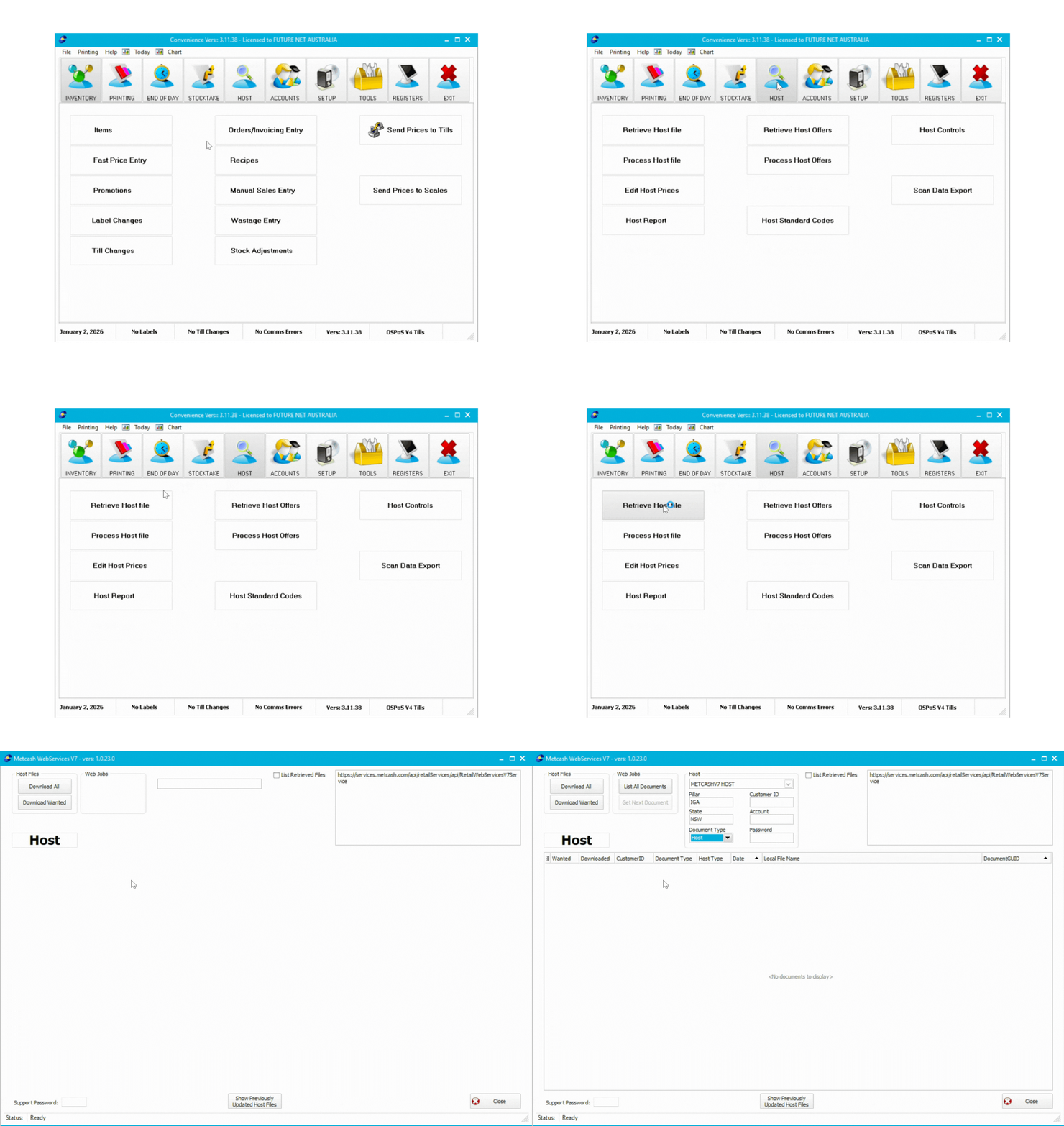
- In the HOST section, select either MetcashV7 Host or ALMV7 Host from the dropdown
- Click List All Documents
- Click Download All
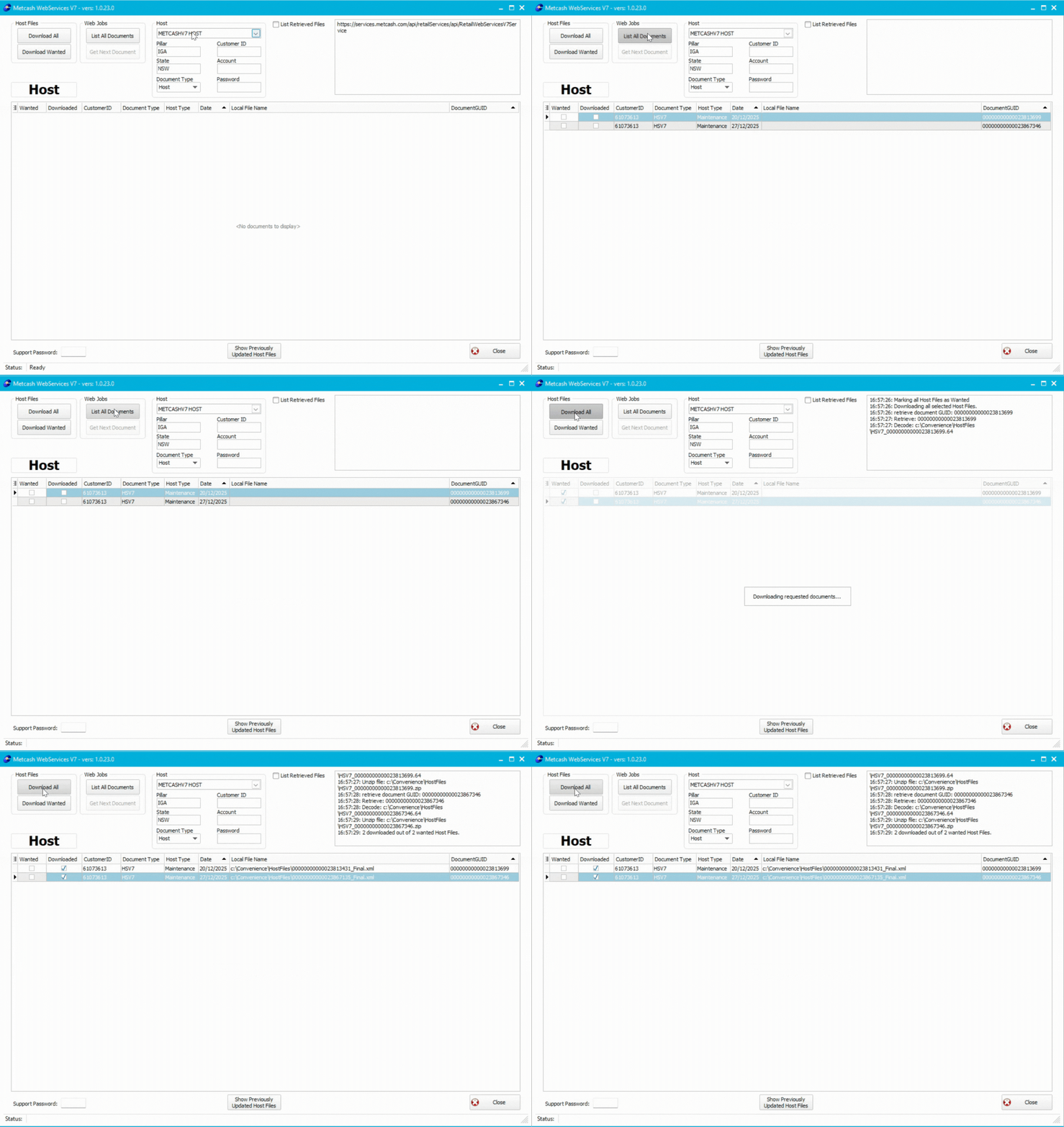
The white box in the top right corner displays download status. If incomplete (e.g., "Downloaded 1 of 2"), use Download Wanted to retrieve the remaining file.
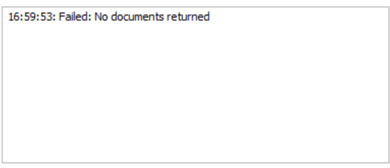
If No Files Are Listed
- Check the List Retrieved Files checkbox
- Enter a date range
- Enter password: sure
- Click List All Documents
- Click Download All
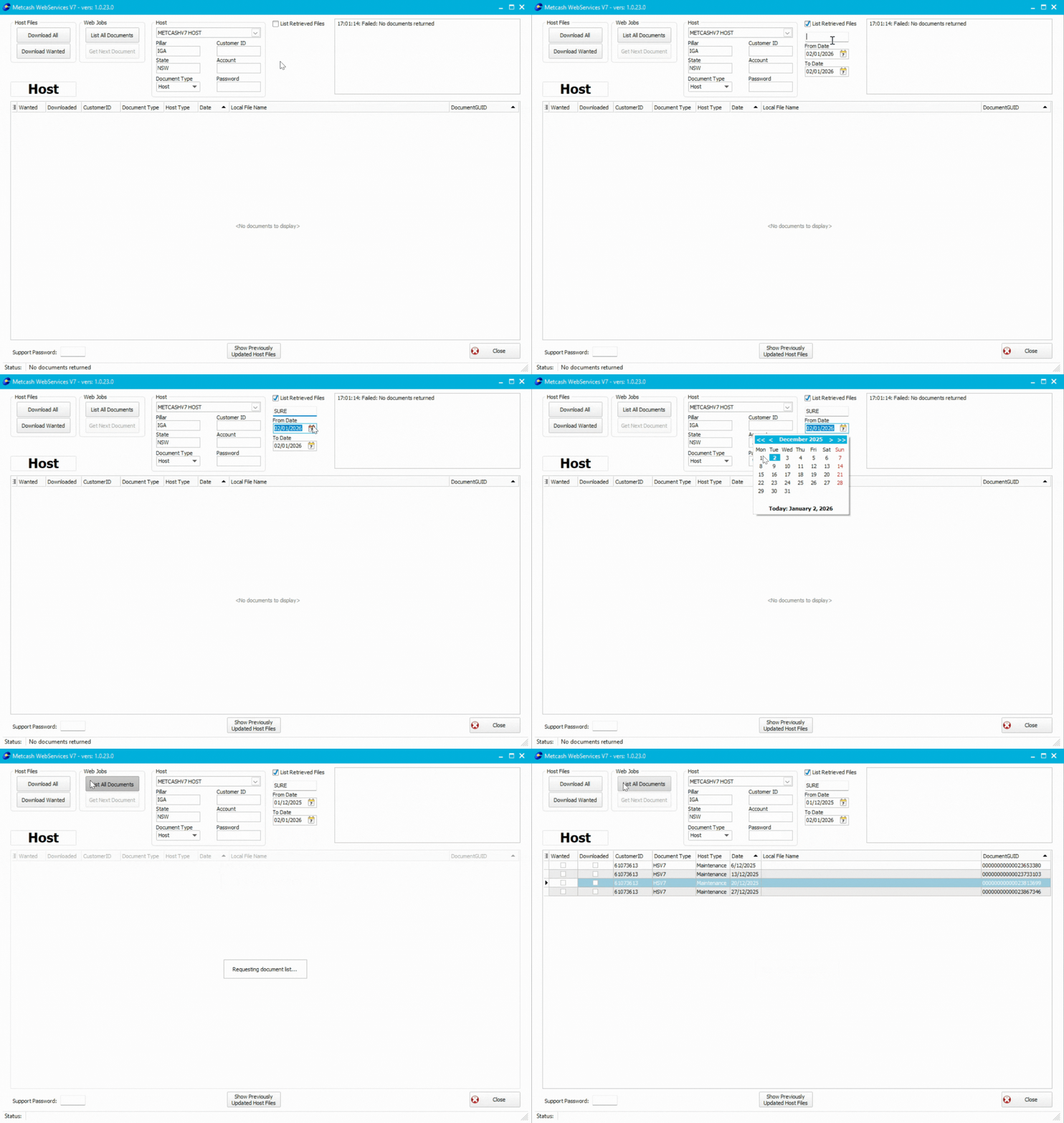
If no files appear, contact Metcash/ALM to request re-hosting.
Next Steps
Process your downloaded files to apply changes to your inventory.
👉⚙️Host File Mastery Part 3: Processing Metcash and ALM Host Files
Don't forget to download and process Metcash offer files separately.