
Process Metcash or ALM host files to apply inventory changes including new items, price updates, and item deletions. Metcash grocery and ALM liquor use the same processing method.
Before You Start
Ensure you've downloaded your host files first.
Processing Host Files
Navigate to the Host tab in Convenience and select Process Host File
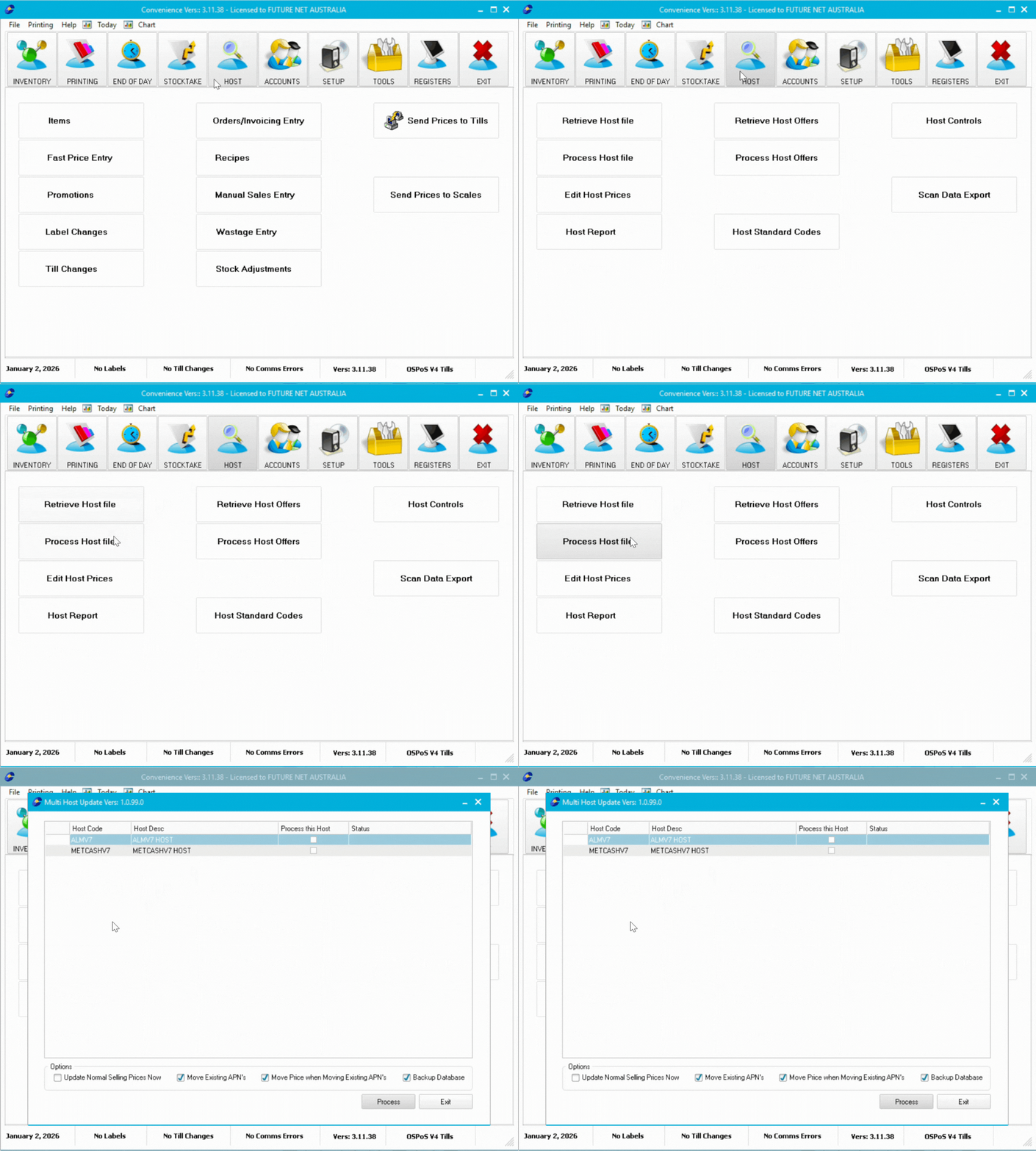
Processing Options
Configure these options at the bottom of the processing window:
| Option | Description |
|---|---|
| Update Normal Selling Prices Now | Automatically updates all price changes |
| Move Existing APN's | Moves barcodes to hosted item numbers if they already exist under different items |
| Move Price when Moving Existing APN's | Moves current sell price when moving barcodes to hosted items |
| Backup Database | Creates database backup for restoration if processing errors occur |

ℹ️ Note: If you turn off Update Normal Selling Prices Now, you must use Edit Host Prices before processing your next host file.
Processing the file
- Tick the box under Process this host for the host you want to process
- Select the host file with the oldest date created
- Click Ok
- Configure processing options at the bottom
- Click Process
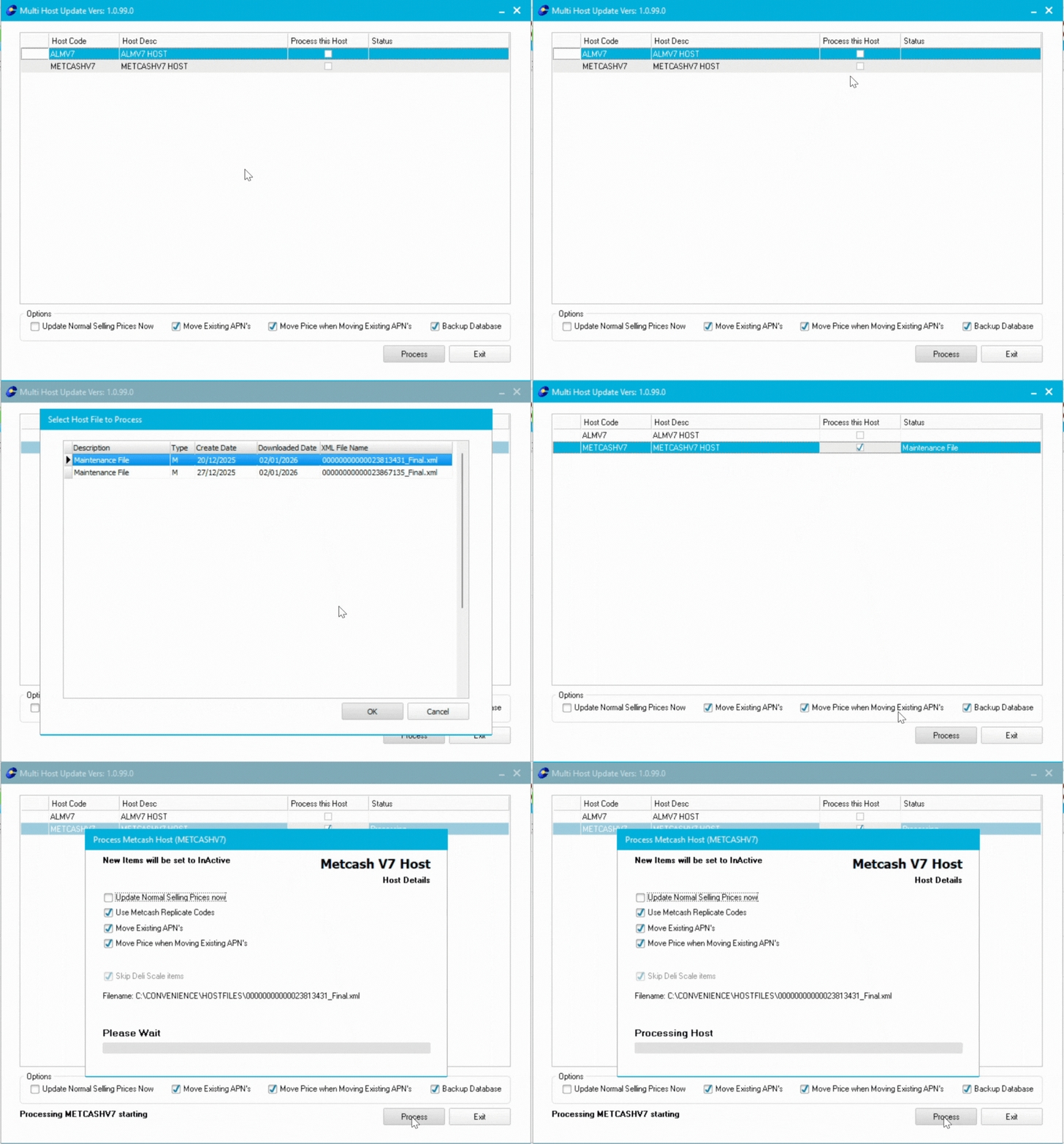
⚠️ Important: Process only one host type at a time (not both Metcash and ALM simultaneously). Wait for "Done" in the status column and "Finished" at bottom left before closing.
Reprocessing a Complete Host File
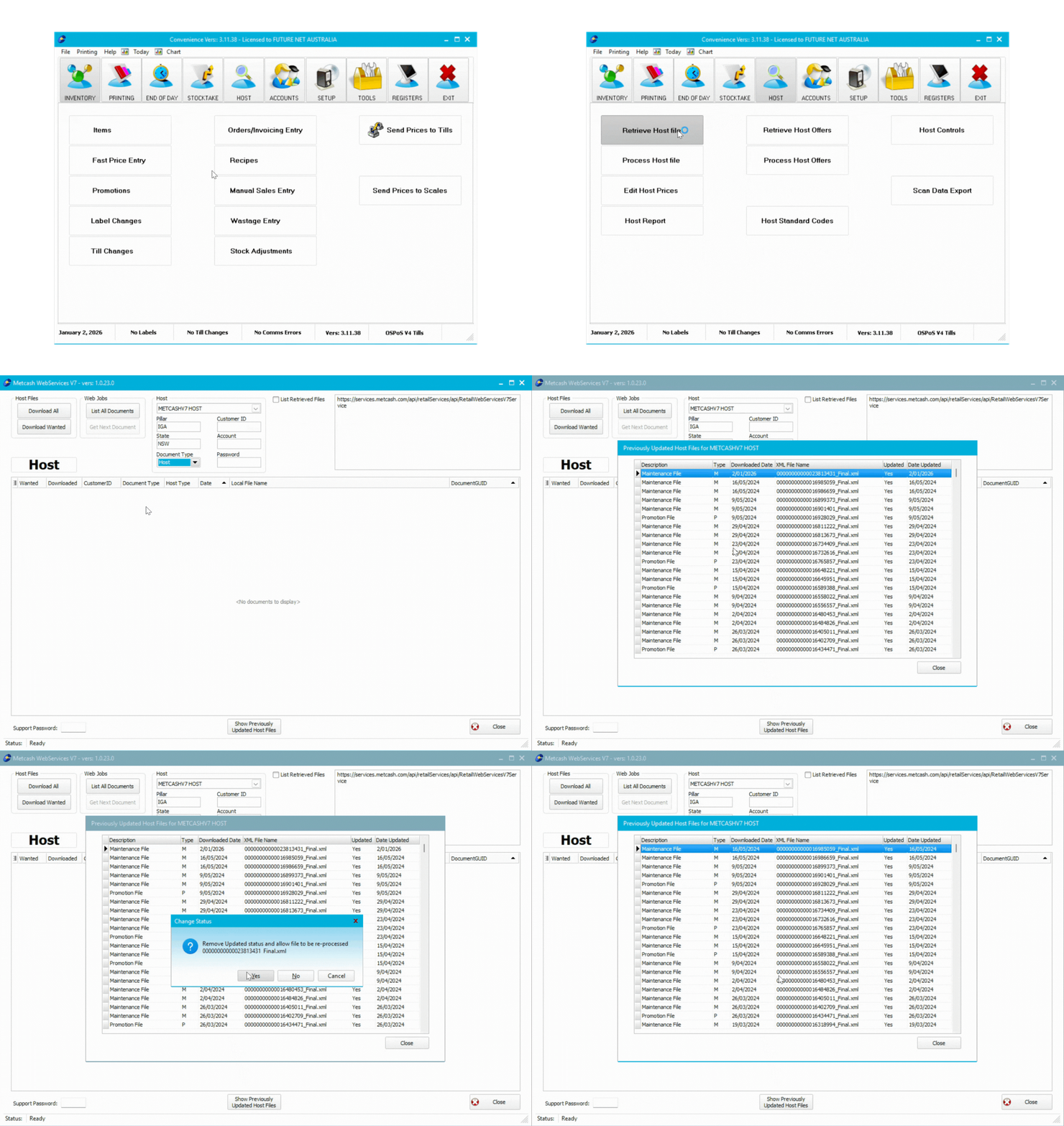
- Navigate to the Host tab and select Retrieve Host Files
- Select the host type at the top
- Check Show Previously updated Host files
- Double-click the file you want to reprocess
- Click Yes in the confirmation popup
- Return to Process Host File to process it again
Troubleshooting
Processing takes too long: Large files require more time. Wait for the "Finished" message.
Items not appearing: Use Host Reports to view what was imported and check for errors.
Price updates didn't apply: Check if you disabled Update Normal Selling Prices Now. Use Edit Host Prices to apply changes manually.
Next Steps
If you disabled price updates, use Edit Host Prices before processing your next host file.
👉💰Host File Mastery Part 4: Editing Host Prices
Don't forget to download and process Metcash offer files separately.