
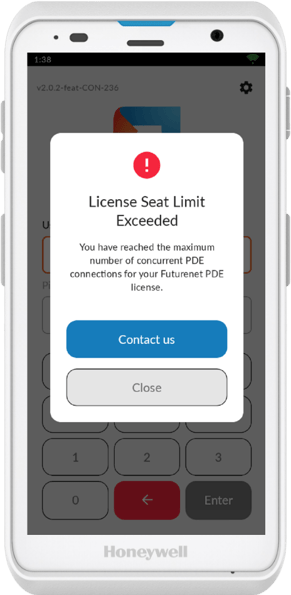
Each PDE is assigned a license to connect to your system. If you add a new device without increasing your license count, you'll see a "License Seat Limit Exceeded" error. This commonly happens when replacing a device, and can occur when receiving a new device.
ℹ️ Note: Clearing connections frees up licenses for your current devices, especially useful when replacing old PDEs.
Clear PDE Connections
Navigate to the Setup tab in Convenience and select Stores
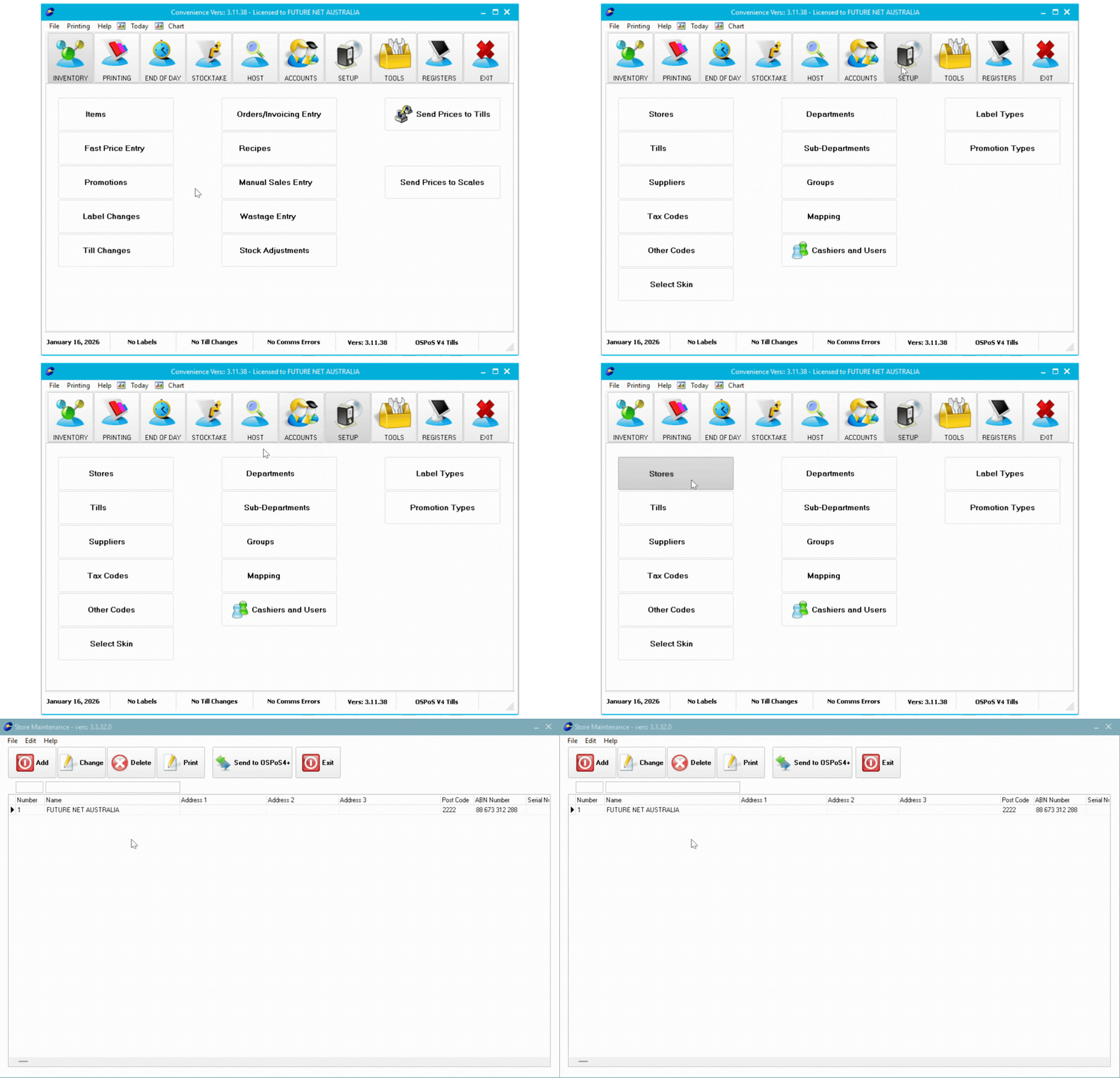
- Double-click your store name
- Select the PDE tab in the left-hand column
- Click Show Connections
- Click Clear All Connections
- Click OK and close the store setup window

What Happens Next
Your PDEs will automatically re-assign licenses when they connect to the system. You can now use your devices without the license error.
Still Seeing the Error?
If the error persists after clearing connections, your license count may not match the number of devices you have. Contact Future Net support at help.futurenet.com.au/support for assistance with increasing your license allocation.