
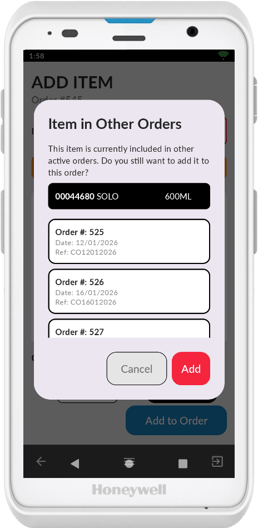
When adding items to an order, the Convenience PDE displays a pop-up notification if that item already exists in another active order. This feature prevents you from accidentally ordering items that are already coming in. Keep this in mind when deciding to disable it.
Disabling the Notification
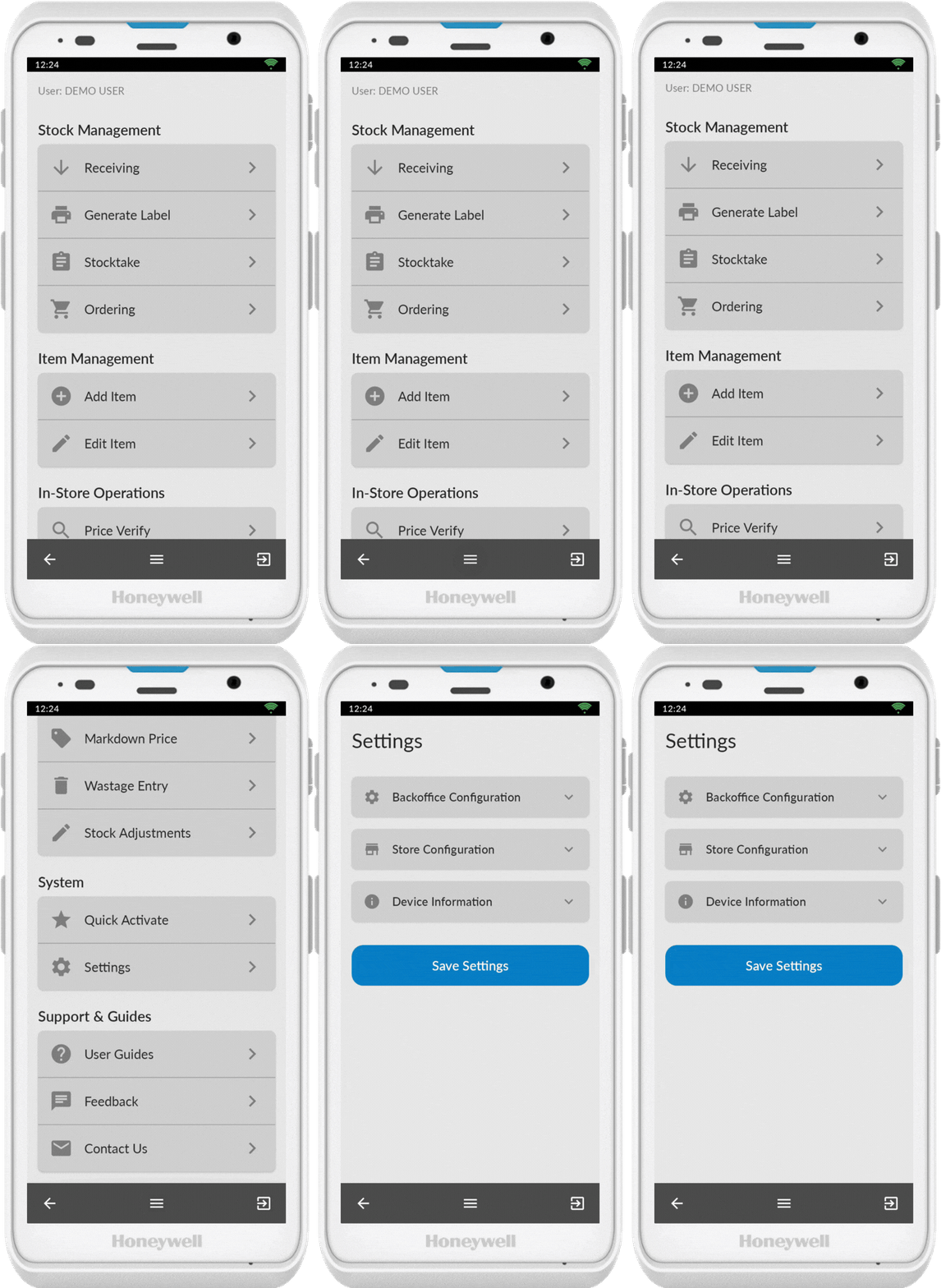
Access Settings
- Press the Menu button (3 horizontal lines at the bottom of the screen)
- Scroll down to Settings
- Tap to open
Turn Off In Other Order
- Expand Store Configuration
- Tap the slider to turn it off the alert
- Press Save Settings
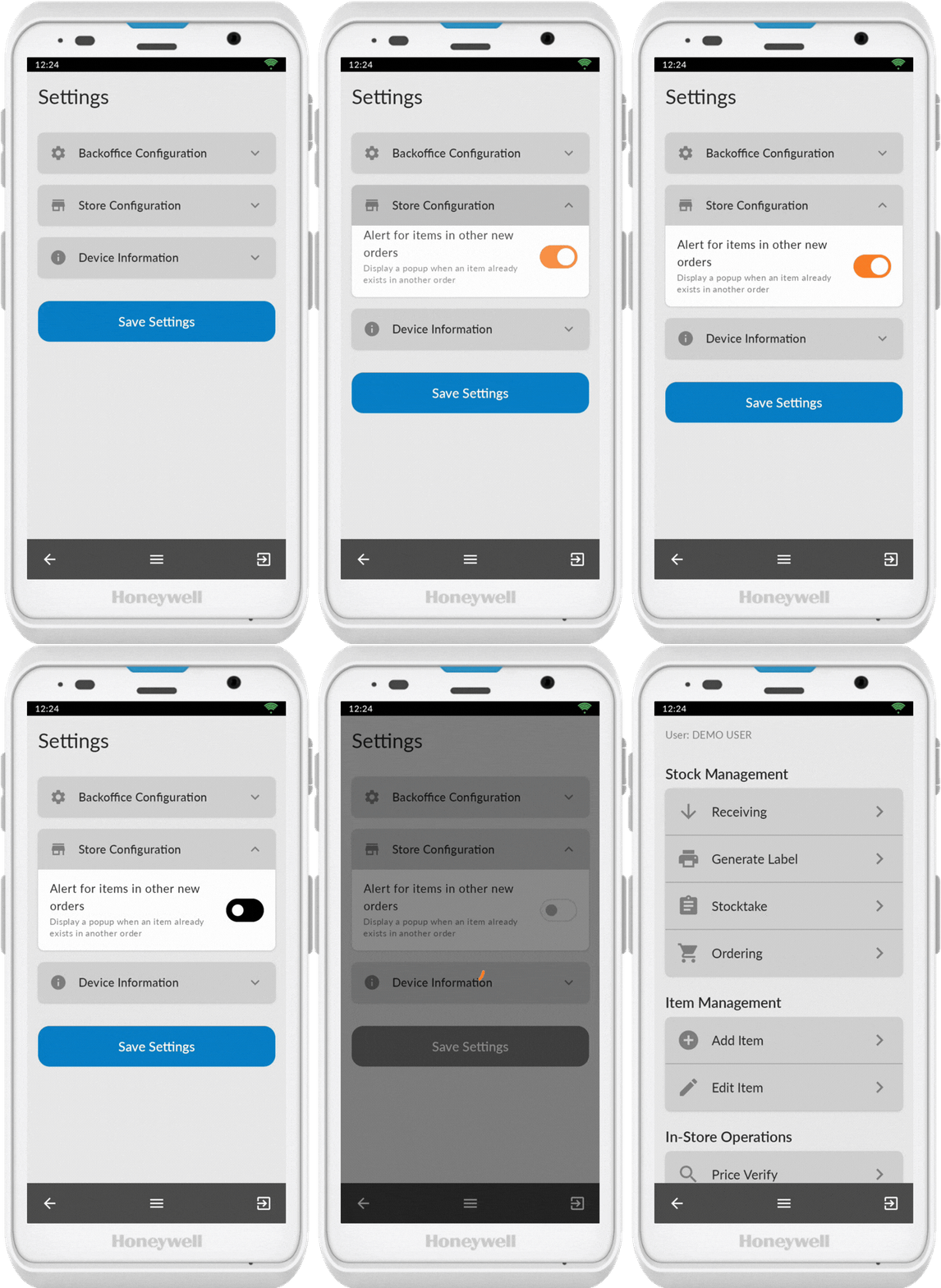
You can now continue creating orders without the pop-up appearing.
💡 Tip: You can re-enable this feature at any time by following the same steps and turning the slider back on.