
Superseding offer promotions let you run two tiered offers on the same items - a good offer and a better offer. For example: "Coca Cola 2L 2 for $7.50 or 3 for $10."
⚠️ Important: You can only have two offers when using superseding promotions. A third tier is not supported.
How It Works
When customers scan items, the system automatically applies the best available offer based on quantity: - Scan 2 items: Lower offer applies ($7.50) - Scan 3 items: Better offer applies ($10).
Creating the Lower Offer
- Navigate to the Inventory tab in Convenience and select Promotions
- Click Add
- Create the first (lower) offer promotion as normal
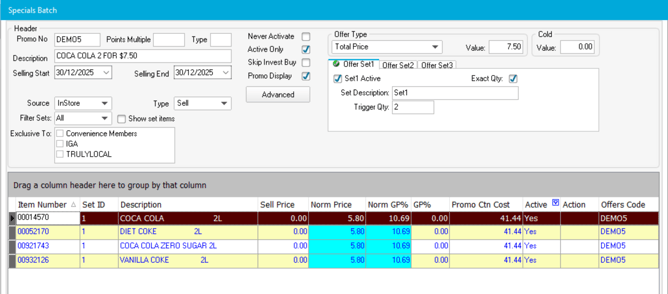
- Example: Create "Coca Cola 2L for $7.50" as a Total Price offer
- Set Trigger Qty to 2
- Set Value to 7.50
- Add all items to the promotion
- Click Finish
Creating the Superseding (Better) Offer
- Click Add to create a new promotion
- Enter the promo number and select batch type Sell
- Click OK
- Change Offer Type to match your lower offer (e.g., Total Price)
- Click Advanced
Linking to the Lower Offer
- In the Superseding Offer section, drop down the menu
- Select the name of your lower offer promotion
- Click OK
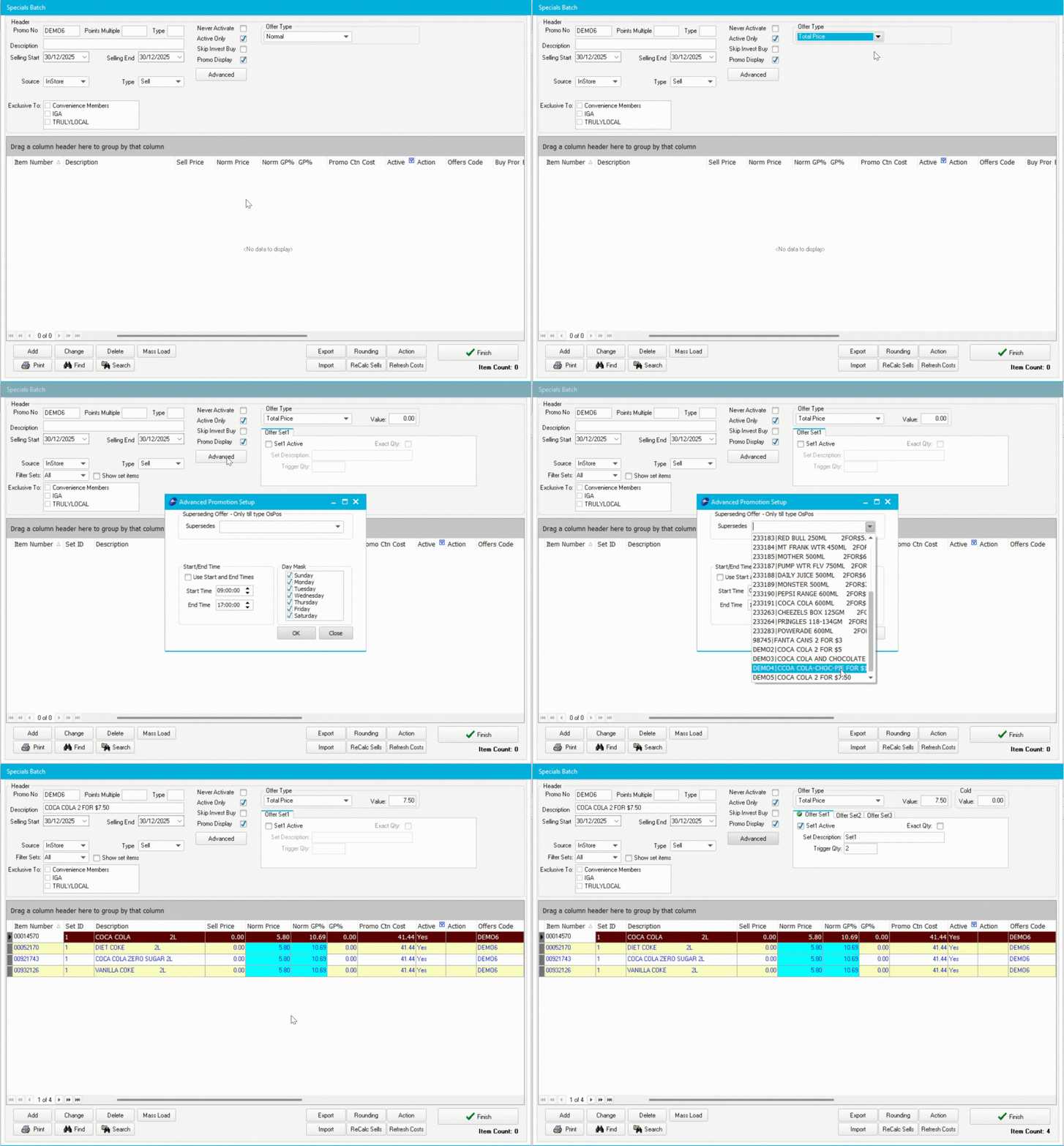
ℹ️ Note: The promotion will now look like a clone of the lower offer - this is correct.
Configuring the Better Offer
- Change the Description to reflect the better offer (e.g., "Coca Cola 1.25L 3 for $10")
- Update the Start Date and End Date if different from the lower offer
- Change the Trigger Qty to the higher quantity (e.g., 3)
- Change the Value to the better price (e.g., 10.00)
- Verify all items are already populated from the lower offer

💡 Tip: You don't need to re-add items - they're automatically copied from the lower offer.
Activating Both Promotions
- Click Finish
- Click Initiate/Terminate to send both promotions to registers
- Test at the register:
- Scan 2 items - should charge $7.50
- Scan 3 items - should charge $10.00