
Loyalty accounts reward customers with points for every dollar spent. You control points per dollar and redemption value.
Before You Start
Loyalty accounts don't allow charging. For accounts with both charging and loyalty, choose Debtor + Loyalty account type.
⚠️ Important: Configure your loyalty system before creating accounts. See Setting Up Loyalty System article for setup.
👉
Creating a Loyalty Account
Navigate to the Accounts tab in Convenience and select Account Masterfile.
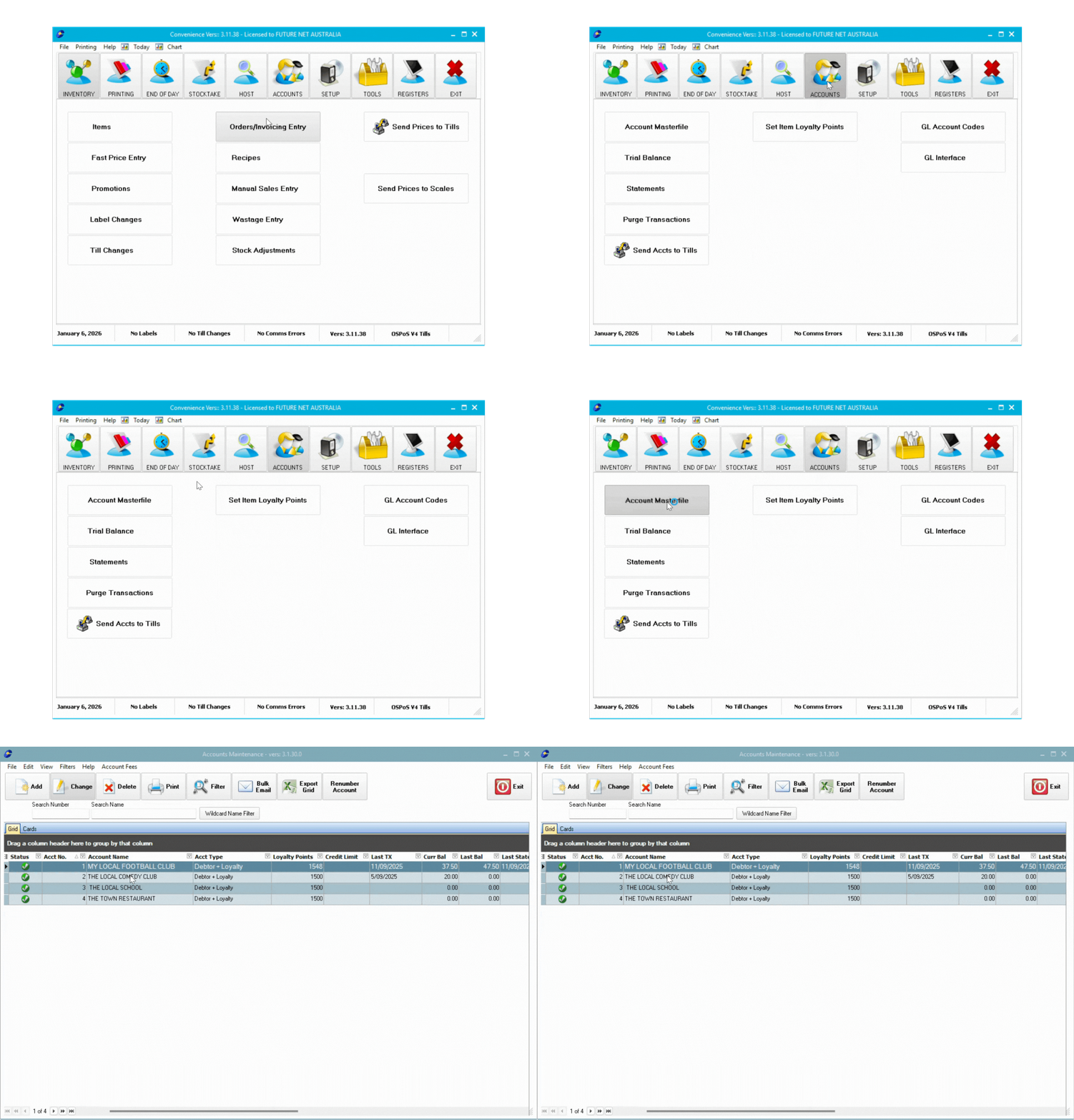
- Select Add in the Account Masterfile
- Enter a customer account number (recommend ascending order from 1)
- Select OK
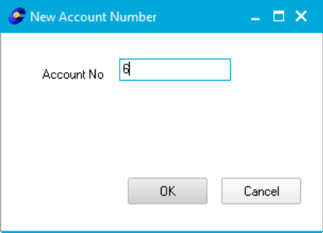
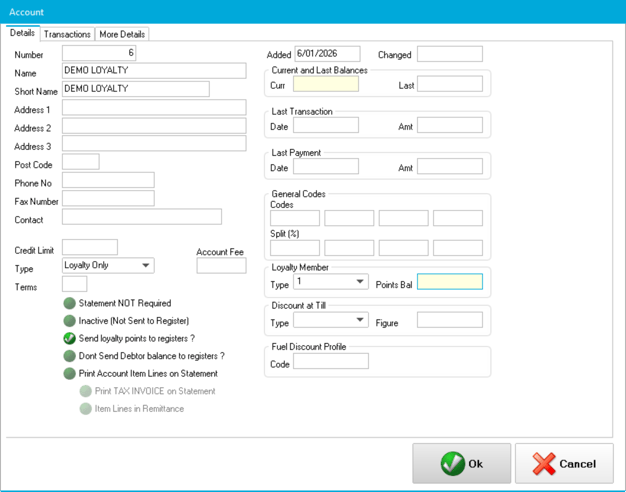
- Fill required fields:
- Name: Customer's full name
- Short Name: Register display name
- Type: Select Loyalty Only
- Loyalty Member: Select 1
💡 Tip: For accounts with both charging and loyalty, choose Debtor + Loyalty account type.
- Select OK to save
Sending Accounts to Tills
- Close Account Masterfile
- Select Send Accts to Tills in the Accounts tab
- Select Process
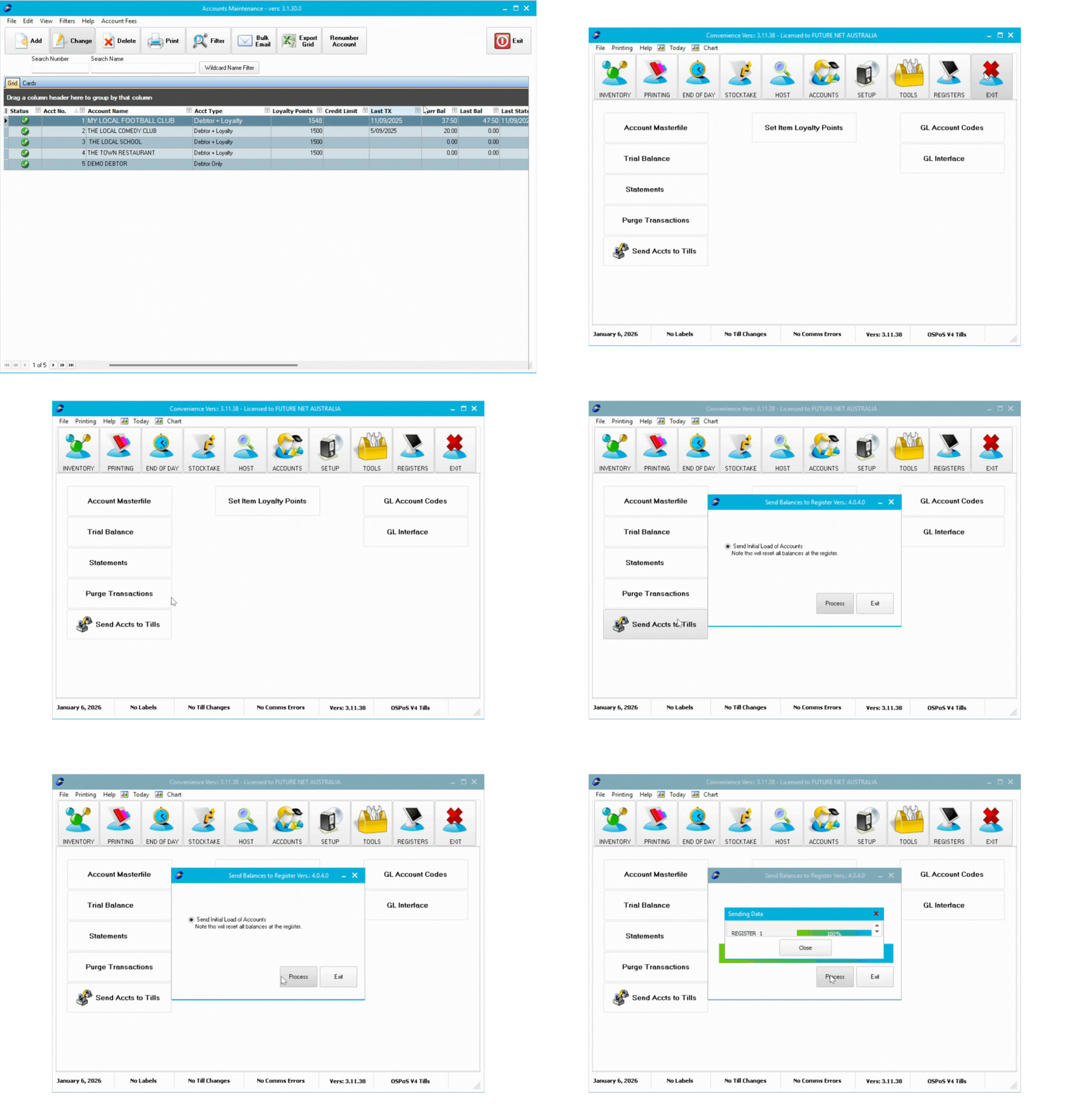
The account is now ready to use at all registers.
Next Steps
Your loyalty account is created. Set up your loyalty system or learn how to use it:
👉(Article Coming Soon)
👉(Article Coming Soon)
👉(Article Coming Soon)
👉(Article Coming Soon)
Continue the series to learn to create layby accounts.