
Layby accounts let customers pay for items over time without interest or fees. Customers receive items once fully paid. Commonly used in hardware and department stores.
⚠️ Important: You must contact Future Net support BEFORE setting up layby. Layby requires backend system configuration that only support can enable. Do not attempt to use layby until support confirms setup is complete.
Before You Start
Contact Future Net support at help.futurenet.com.au/support to configure layby on your system.
You'll need to specify:
- Cancellation fee percentage (e.g., 5% non-refundable if customer cancels)
- Maximum cancellation fee dollar amount (e.g., $15 maximum regardless of percentage)
Using Layby at Registers
After Future Net support completes setup, you'll see a Layby Menu button on the register screen.
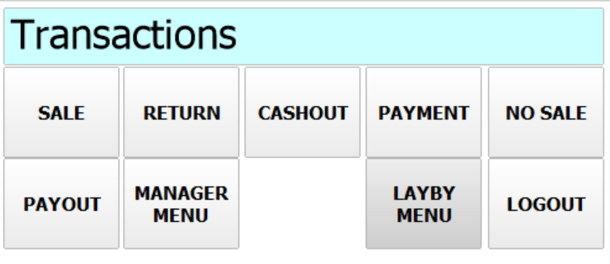
Creating a New Layby
- Select Layby Menu on the register
- Select New Layby
- Fill out all customer details
- Select Create Layby
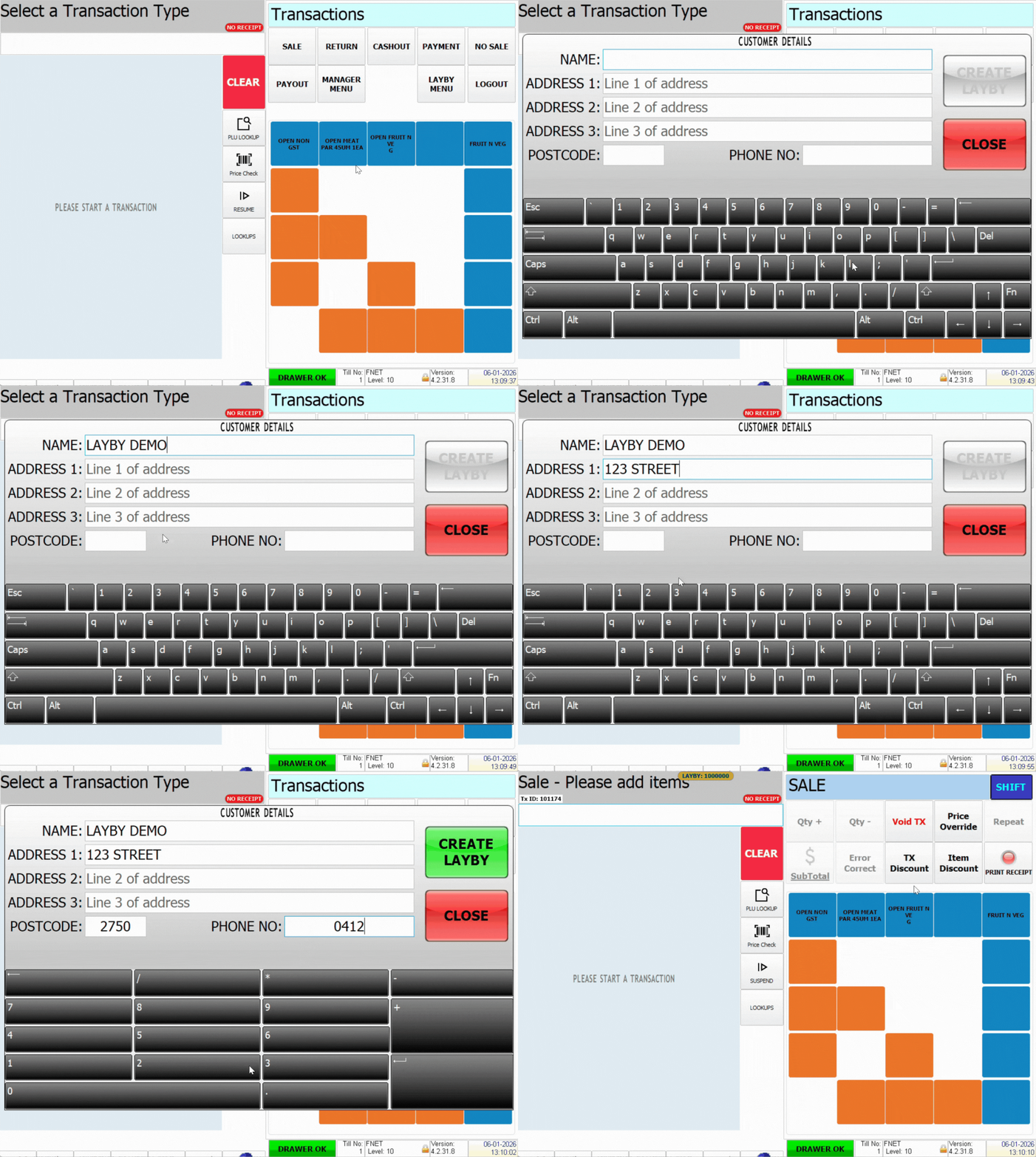
- Add items to the sale
- Change tender amount to first payment amount (e.g., $25 on a $100 item)
- Select Enter
- Prompt asks if customer wants to add more payments—select Yes or No
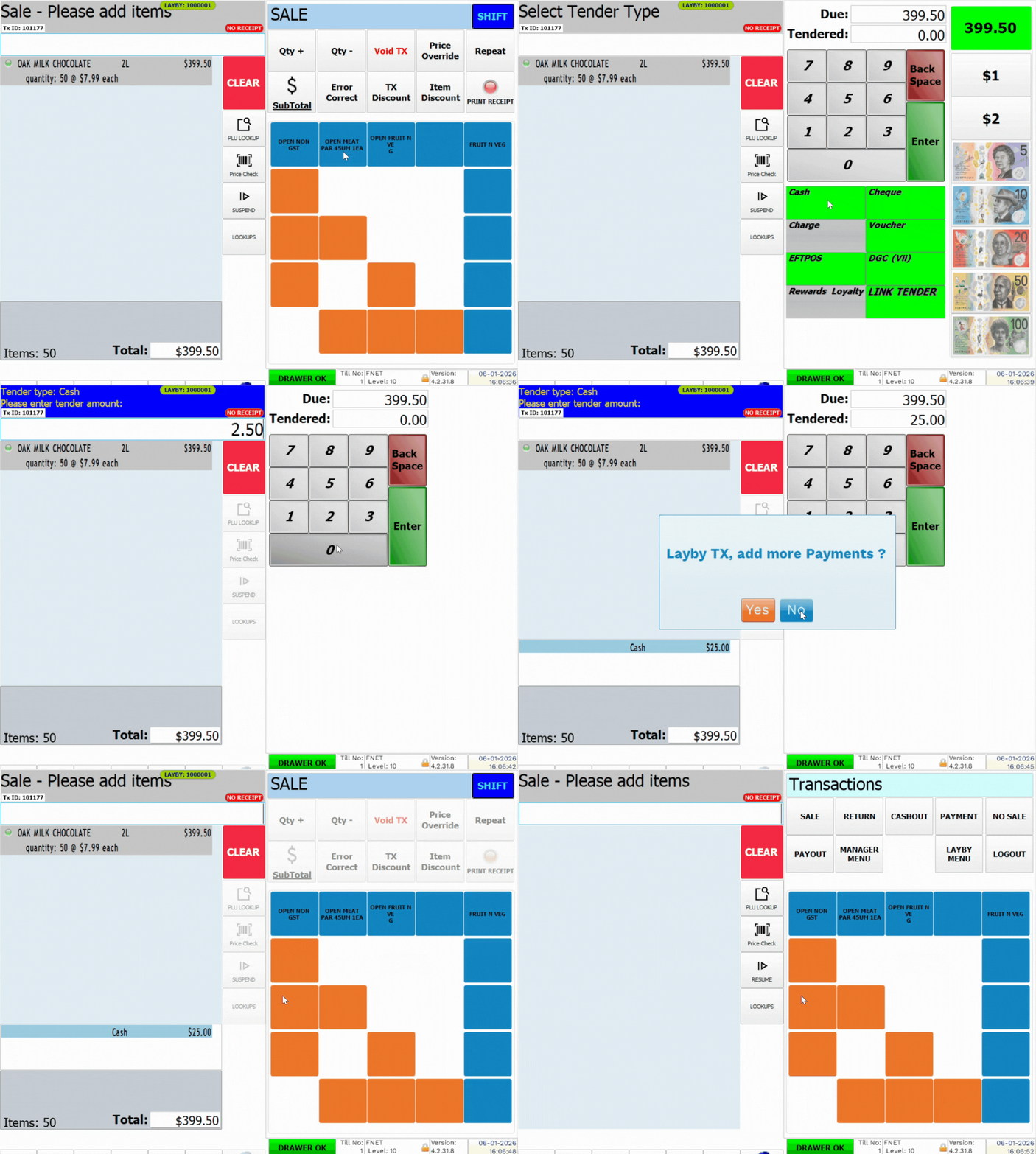
Items are set aside physically. The system tracks remaining balance.
Making Layby Payments
- Select Layby Menu on the register
- Select Layby Payment
- List of active laybys appears—select the customer
- Select the green tick at the bottom
- Enter payment amount
- Tender the payment
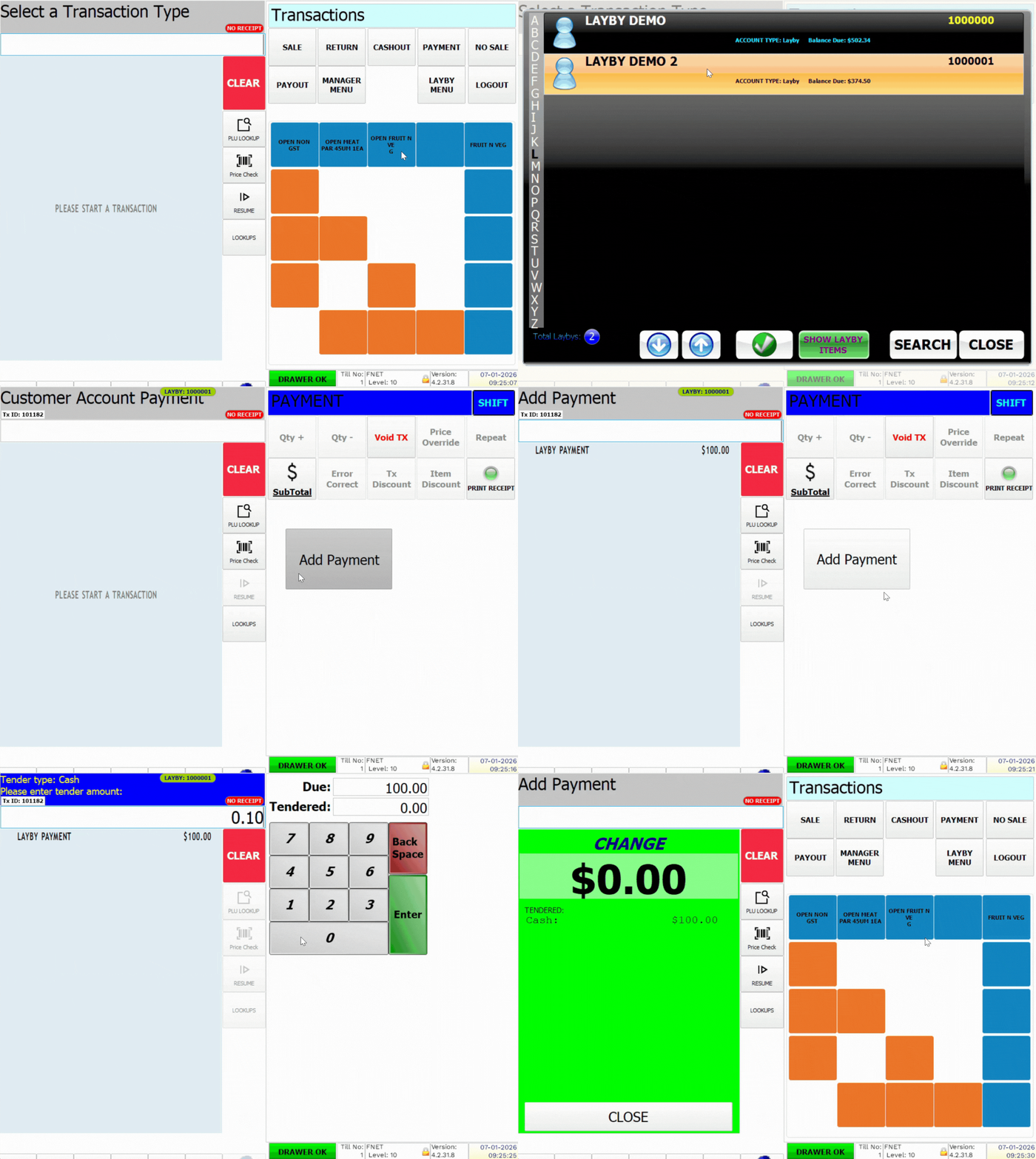
💡 Tip: Select Show Layby Items at the bottom to view what's in the layby.
Cancelling a Layby
- Select Layby Menu on the register
- Select Cancel Layby
- Select the customer from the list
- Select the green tick at the bottom
- Confirm cancellation when prompted
- System creates return transaction with cancellation fee deducted
- Sub-total and complete the refund
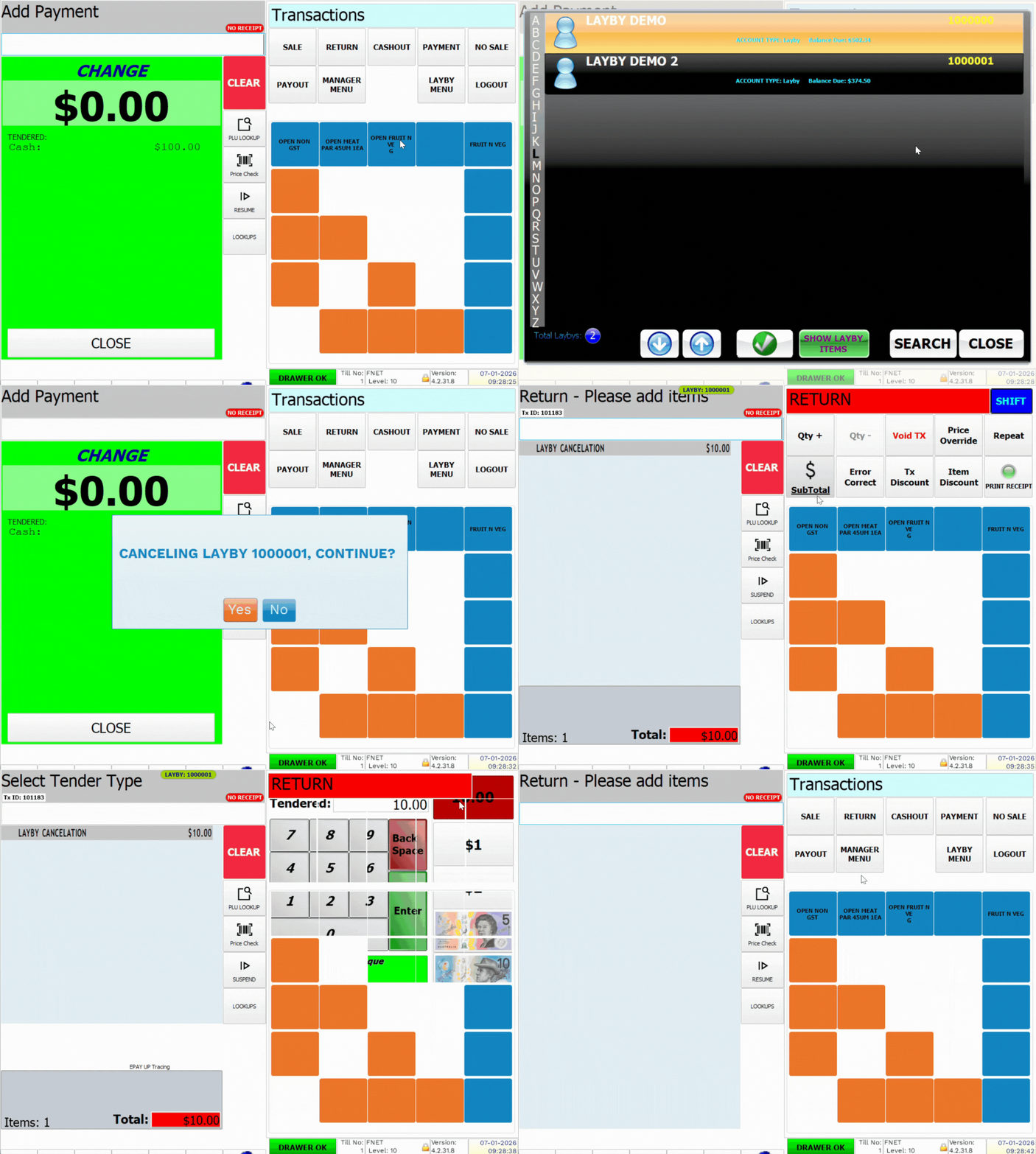
Example: Customer paid $50 on layby but cancels. With 5% cancellation fee, refund is $47.50 (5% of total kept as fee).
Completing a Layby
Once customer's final payment brings balance to zero, release the items. The system automatically tracks when laybys are fully paid.