
ℹ️Note: This setting is referenced in ✅Orders & Invoicing Fundamentals Part 7: Updating Invoices when handling calc total mismatches and cost change reports.
Adjust when Convenience flags invoice mismatches and cost changes by modifying the variance thresholds in your store settings.
The Two Settings
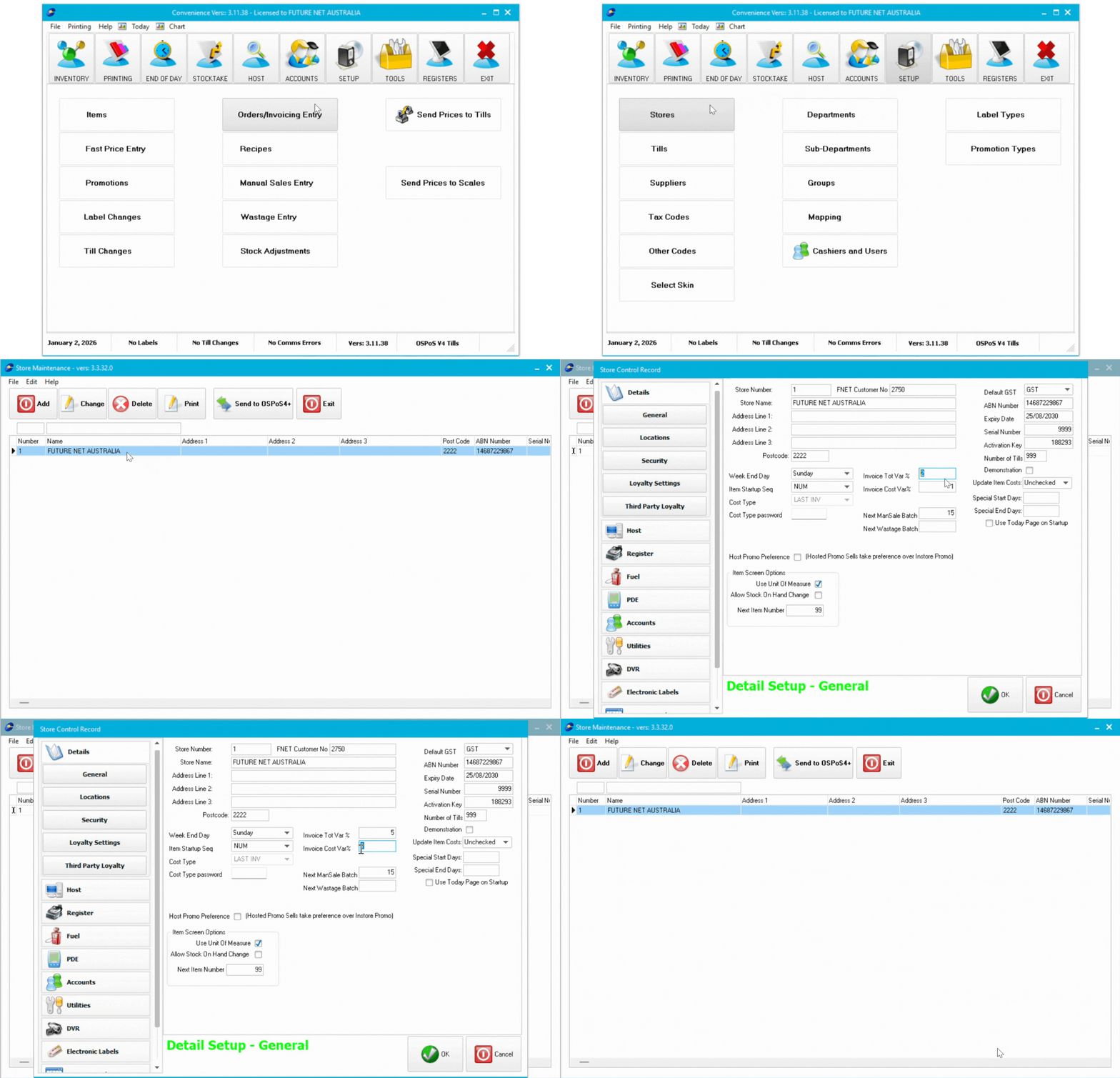
Invoice Tot Var % (default 2%) - Controls when calc total vs. invoice total mismatches display in red.
Invoice Cost Var% (default 1%) - Controls when cost change reports are generated.
Increase thresholds if you get too many warnings for legitimate differences. Decrease thresholds for stricter monitoring.
Adjusting the Settings
- Navigate to Setup tab > Stores
- Double-click your store name
- Update the values:
- Invoice Tot Var % (e.g., 2 = 2%)
- Invoice Cost Var% (e.g., 1 = 1%)
- Click Ok
💡 Tip: Make small adjustments. Try 3% before jumping to 5%.
Impact of Changes
Total Variance:
- Lower (1%) = More sensitive, flags smaller discrepancies
- Higher (5%) = Less sensitive, only flags large discrepancies
Cost Variance:
- Lower (0.5%) = Reports small price changes
- Higher (2%) = Only reports significant changes
ℹ️ Note: Settings apply store-wide for all users.